Bringing Full Podcast Conversations into Vertical Video with Video Cutter AI
0m | Sep 24, 2026Most video podcasts are recorded for a landscape player, where two speakers, microphones, and background details can share the frame. That composition becomes difficult to read when it is reduced to a vertical feed. Faces may become too small, captions compete with platform controls, and a static center crop can ignore the person carrying the point. Video Cutter AI can create a vertical starting version, but the editor still has to decide what the viewer should see.
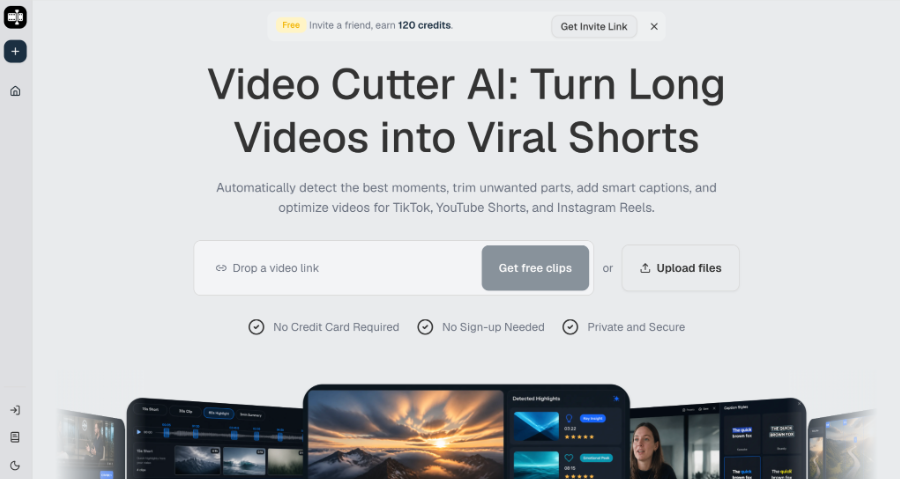
(Video Cutter AI homepage)
A Vertical Crop Changes the Meaning of the Frame
Video Cutter AI offers Auto Reframe to convert landscape footage into vertical Shorts. This addresses the repetitive first step of changing the format, yet a vertical result should be treated as a new composition rather than a narrower copy of the original.
In a podcast, visual meaning moves between the active speaker, the listener’s reaction, and any object or screen being discussed. Keeping everything visible often makes each element too small. The editor needs a priority for every candidate.
Decide What Carries the Evidence
If the guest is telling a personal story, facial expression may be the most important visual. If the host demonstrates a product, the object or interface may carry the evidence. Write down that priority before reviewing the crop. It becomes easier to reject framing that looks balanced but hides the point.
Do not imply that automatic reframing replaces multi-speaker direction. The official function is vertical conversion. Speaker choice, reaction timing, and layout remain editorial decisions.
Keep Speakers Readable Without Making the Frame Restless
(Highlights of Video Cutter AI)
A vertical podcast clip does not need to switch views after every sentence. Frequent movement can distract from the conversation. Change the visual emphasis when the meaning changes: a new speaker takes over, a reaction matters, or a referenced object becomes important.
Check Eye Line, Headroom, and Gestures
Watch the clip at phone size. Confirm that eyes remain comfortably inside the frame, heads are not cropped, and meaningful gestures are visible. Remote podcast layouts may contain empty space or embedded name labels that need different treatment from a studio recording.
When both speakers must remain visible, make sure neither becomes too small to read. A silent host can be removed from the composition when the reaction adds no information. Preserve the host when that reaction changes the emotional meaning of the guest’s answer.
Give Captions a Safe Place to Work
Smart Captions can create an initial subtitle layer, which is valuable because many feed viewers begin without sound. Proofread names, companies, numbers, and specialist terms. Then review placement against faces, microphones, lower-third graphics, and platform interface areas.
Caption density should reflect the conversation. Rapid exchanges may need shorter lines and careful timing. A reflective story needs enough display time for the viewer to read without losing the speaker’s expression. Avoid styling that competes with the subject.
Silence and Filler Removal can tighten repeated starts and long gaps, but the finished audio must still sound conversational. A pause may indicate uncertainty, humor, or emotion. Removing every gap can flatten the performance that makes a video podcast engaging.
Use Supporting Visuals Only When They Clarify
AI B-Roll can help when a speaker describes a product, location, or process that is not visible. It should not cover the decisive facial expression or replace source evidence. Generic footage may make the clip look busier while making the story less credible.
Complete a final review with sound on and muted. Sound-on playback reveals unnatural cuts and speaker changes. Muted playback tests whether framing and captions communicate the central idea. Keep review notes in the production system the team already uses; that workflow is external to the clipping tool.
Conclusion
Choose one visual priority for each podcast clip, review the crop at phone size, and protect enough space for captions. Treat vertical conversion as the beginning of composition work rather than proof that the frame is finished.
Video Cutter AI (https://video-cutter.ai/) has successfully bridged the gap between landscape podcast recordings and vertical short-form candidates, while speaker emphasis, caption safety, and visual evidence still benefit from deliberate human review.
Try Video Cutter AI: https://video-cutter.ai/